Audio Block
Add an audio player to your page by clicking the Audio block in the Add a Block panel.
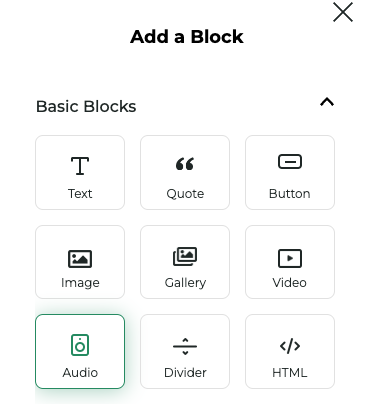
You'll be prompted to select an audio file or upload a new one. Once selected, you'll see a full width audio player inserted into your page.

Properties
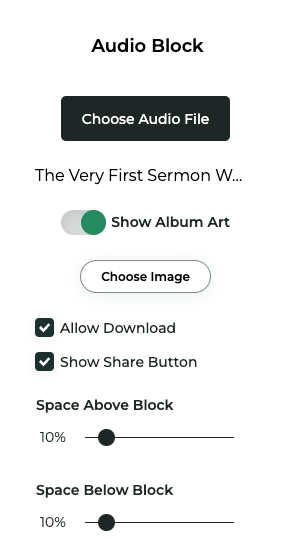
Click the options button (...) in the top right corner of the block toolbar to open the Audio Block Properties. Below are some of the properties you can customize:
| Property | Description |
|---|---|
Audio file | The audio file the player will control |
Album Art | Toggle on/off to select album art to display in the player |
Allow download | Enable downloading of the audio file |
Allow share | Enable sharing of the page on Twitter/X |
Space above/below | Adjust the space above and below the Audio Block |